

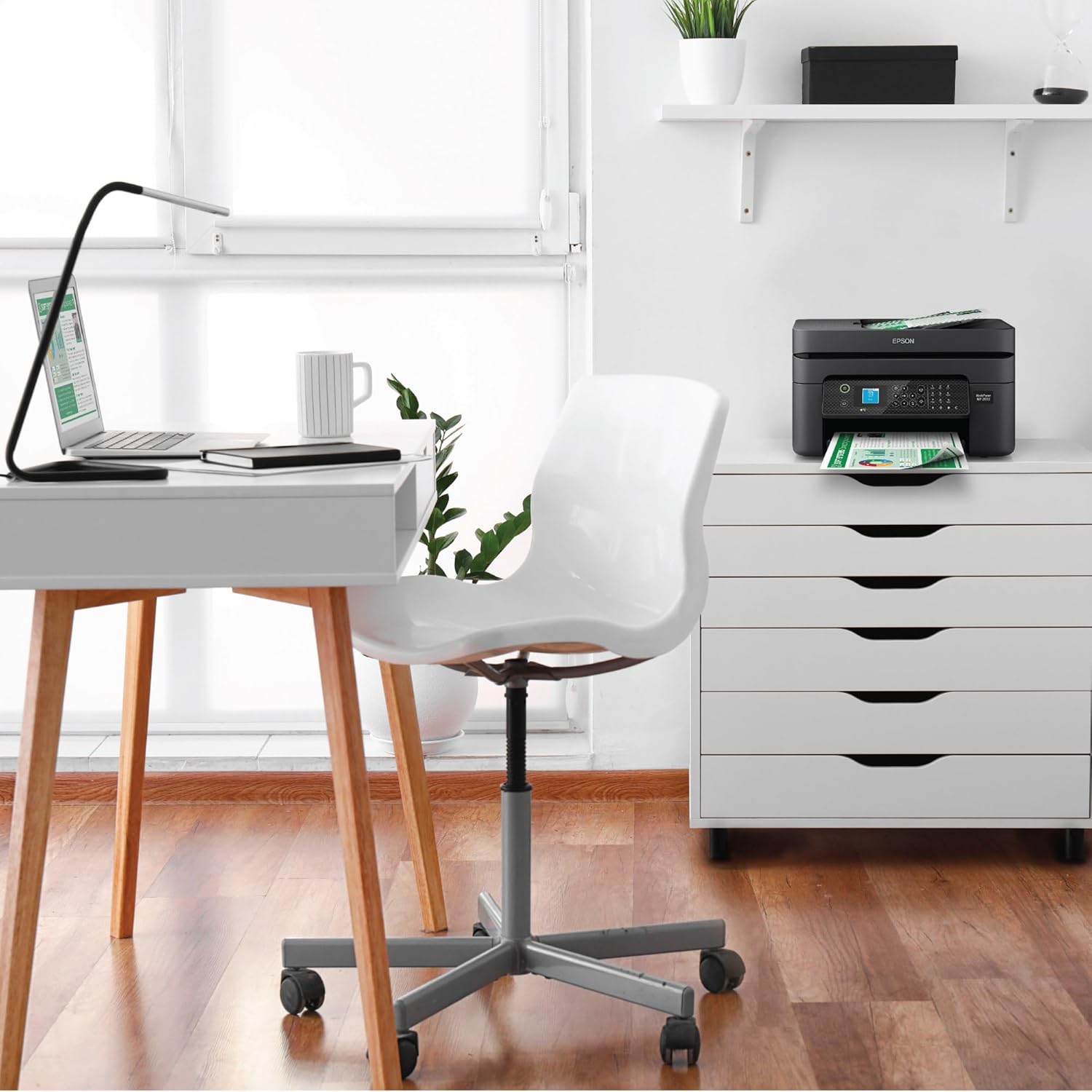
Epson Workforce WF-2930 Wireless All-in-One Printer with Scan, Copy, Fax, Auto Document Feeder, Automatic 2-Sided Printing and 1.4″ Color Display,Black
Original price was: $119.99.$8.99Current price is: $8.99.


Price: $119.99 - $8.99
(as of Nov 22, 2025 17:11:24 UTC – Details)
Enjoy hassle-free business printing with the WorkForce WF-2930. An efficient, all-in-one solution, the WF-2930 streamlines workflow with a built-in scanner, copier, fax and Auto Document Feeder. Perfect for printing presentations, contracts and corporate graphics, as well as occasional prints for the home or family, it features Epson’s industry-leading printing technology to consistently deliver documents with sharp text and vivid colors. Plus, with effortless setup and wireless connectivity, it’s the convenient choice for everyday home office printing.
*This product uses only genuine Epson-brand cartridges. Other brands of ink cartridges and ink supplies and not compatible and, even if described as compatible, may not function properly or at all. | 1. Requires Epson Smart Panel app download. Data usage fees may apply. | 2. Most features require an Internet connection to the printer, as well as an Internet- and/or email-enabled device. For a list of Epson Connect™ enabled printers and compatible devices and apps, visit www.epson.com/connect | 3. Epson Connect account and voice-activated account registration required. See www.epson.com/voice for device compatibility. | 4. For convenient and reasonable recycling options, visit www.epson.com/recycle | 5. SmartWay is an innovative partnership of the U.S. Environmental Protection Agency that reduces greenhouse gases and other air pollutants and improves fuel efficiency.
Professional-Quality Home Office Printing — Epson’s leading-edge printing technology delivers sharp text and vibrant color graphics
Stress-Free Setup and Operation — Features a color display for effortless navigation, plus easy installation and operation through your smartphone or tablet using the Epson Smart Panel app (1)
Engineered for Reliability — Consistently delivers high-quality prints with heat-free technology and a permanent printhead designed to last the life of the printer
Convenient Connectivity — Supports easy wireless connections and printing from Android or iOS devices (2)
Efficient, Economical Design — Automatic 2-sided printing helps you save paper and reduce paper waste
Easy, Affordable Color Printing — Individual ink cartridges make it easy to only replace the ink you need
Hands-Free, Voice-Activated Printing — Easily print on-the-go using Alexa and Siri (3)
Versatile Functionality — Create searchable PDFs and more with included Epson ScanSmart scanning software
Epson Printing System Is Designed to Be Used Exclusively with Epson Genuine Cartridges — Use of non-genuine ink could cause damage not covered under the printer’s limited warranty
Customers say
Customers report mixed experiences with the printer’s functionality, with some saying it works flawlessly while others mention it suddenly stops functioning. The print quality and setup process receive mixed feedback, with some finding it easy to set up and use while others find the setup process painfully slow. Customers disagree on the value for money, with some saying it’s good for the price while others find it not worth the cost. The ink usage is a significant concern, as customers report it uses ink like crazy and the cartridges don’t last long. Additionally, customers have issues with cartridge recognition, with the printer not recognizing them, and the print speed varies from very fast to extremely slow.
13 reviews for Epson Workforce WF-2930 Wireless All-in-One Printer with Scan, Copy, Fax, Auto Document Feeder, Automatic 2-Sided Printing and 1.4″ Color Display,Black
Add a review
Related Products

![[Electric Focus&Android OS] Mini Projector with WiFi and Bluetooth, XuanPad 4K 1080P Support Portable Projector, 210°Rotatable Stand, Built-in 8000+APPS, Dust Removal and Heat Dissipation Design](https://i1.wp.com/m.media-amazon.com/images/I/61JOg263fHL._AC_SL1500_.jpg?w=300&resize=300,300&ssl=1)


Original price was: $119.99.$8.99Current price is: $8.99.
Macrox56 –
Space age scribe come true!
My old HP printer died recently so I researched new printer. I was disappointed in the new HP inkjets that I looked at. Poor reviews. So I then researched Epson and found this beauty. Fair price at about $100 when I got it and does it all in print, copy, scan and fax. Ink is not as costly as the HP was so that is another plus. Seems well made despite the contemporary usage now a days of plastic material. For home or light office use this is a nice printer.
Matthew Thomas –
Easy set up and works great!
Price was right , printing is on point. Nothing to dislike it well worth the money . Until I used it the 4th time and everything went South and you can’t read the lines of print.went back through all the Set up & maintenance requirements and still Not working properly. And now I can even get it replaced. Been a good customer for years! This is wrong..
Kindle Customer –
A lot of caveats
Printer works well. It is compact and easy to use and the print quality is very good..Downside: the printer came with ink cartridges that were less than half full. Apparently the ink provided was for set up and alignment only. Had to buy ink right away. Could not buy re manufactured ink. The printer is programmed to use only Epson ink or so they say..The printer came with a warning that the .” Epson printing system is specifically designed to be used with Epson Genuine Cartridges.” It also stated that the “Use of non-genuine ink could cause damage not covered under the Warranty” .The Epson website on Amazon made no mention of this nor did they let it be known that the ink provided was for set up and ink had to be bought right away. ink.Epson Brand ink is very expensive, had I known I would have chosen another another brand rather than Epson.
skygirl –
Replacement for a WF2850
I have used an Epson WF 2850 for several years. I just purchased a WF2930. The printers are very similar. Both printers set up was easy. The new one I used the Epson app to do the set up.My Mac laptop was set up and printing is seamless. From my computer I can’t scan. I have deleted the app and reinstalled. The scanner won’t open. I was able to use the app on my phone to perform the scan function. Problem is being able to scan and save to docs on my computer.If the scan worked from my computer, I would give it 5 stars.
Pastor Johnny –
Best Epson Scanner/printer/copier for your money
Best inexpensive inkjet copier/printer/scanner I’ve had in quite a while. I’m an Epson guy, and this gives me the best bang for my buck. Great tool.
Pam –
Good deal!!
Good bargain, shipping on time.
Sam II –
Make sure you are in same frecuencia
A little complicated to get It the first time but then is simple
Amazon Customer –
Disappointing! Out $100+ on trial ink to find printer jet isn’t spraying ink
Disappointing! Out $100+ in ink after 3 trials of ink to finally determine that the yellow ink dispensing jet must not be working on this printer.****This was typed in early July, 2024****It’s past the return window. It worked just fine for the first 2-3 months, then quality dropped the last week to find badly colored copies. After an occassional color printing job, I finally replaced the original Epson yellow printer cartridge with the generic ink cartridge. No yellow. I retried loading it 5/6x on about 3 different occassions, still no yellow.I bought Epson brand ink and still no yellow ink is printing onto the pages. This was not a good first-time trial for me to try Epson. I had much better luck with my HP!***update***It’s now Oct 2nd, spent MORE money on ink to try “self-cleaning,” a procedure that Epson says to keep repeating until the nozzle isn’t clogged. After repeated attempts, the yellow ink nozzle is still plugged. Each nozzle “self-cleaning” uses ink from all 4 cartidges when it does it. So I’ve replaced ink cartridges several times without being able to use it for print job. Alao, the printer won’t print black or color if just one color is empty. I’ve tried to use it just for black and white copies, but it won’t print anything if a color ink cartridge is needing replaced. This is rediculous. I’m going to attempt to contact Epson to have it sent directly to them. I bought this in March, was gone traveling all summer and am now fed up with the Epson printer. I purchased an HP printer and it’s working beautifully! The ink refills might be more expensive, but it prints 🖨 as it says it will, consistently for at least 5+ years. So Epson has sealed me back onto HP. I’ll be glad when I’m done with this rediculous EPSON mistake.
Nadyla Marcella –
Produto chegou bem embalado, sem nenhum defeito, testei a impressão e gostei e também escaneie diversos documentos, até o presente momento está atendendo as minhas necessidades.
Muhammad Abdullah –
Perfect in all respects
Consuelo Márquez –
Me gusto mucho
Hernai –
Acabo de abrirla y empecé a usarla y ya no tiene tinta. Qué oasó?
JOSEPHINE EKWEREDIKE –
Amazing, working great.