

KODAK Dock ERA Plus 4PASS Instant Photo Printer, 4×6 inches, 50 Sheets Bundle
Original price was: $149.99.$119.99Current price is: $119.99.



Price: $149.99 - $119.99
(as of Feb 25, 2026 16:56:22 UTC – Details)
Product description
The video showcases the product in use.The video guides you through product setup.The video compares multiple products.The video shows the product being unpacked. Kodak Dock Plus Merchant Video


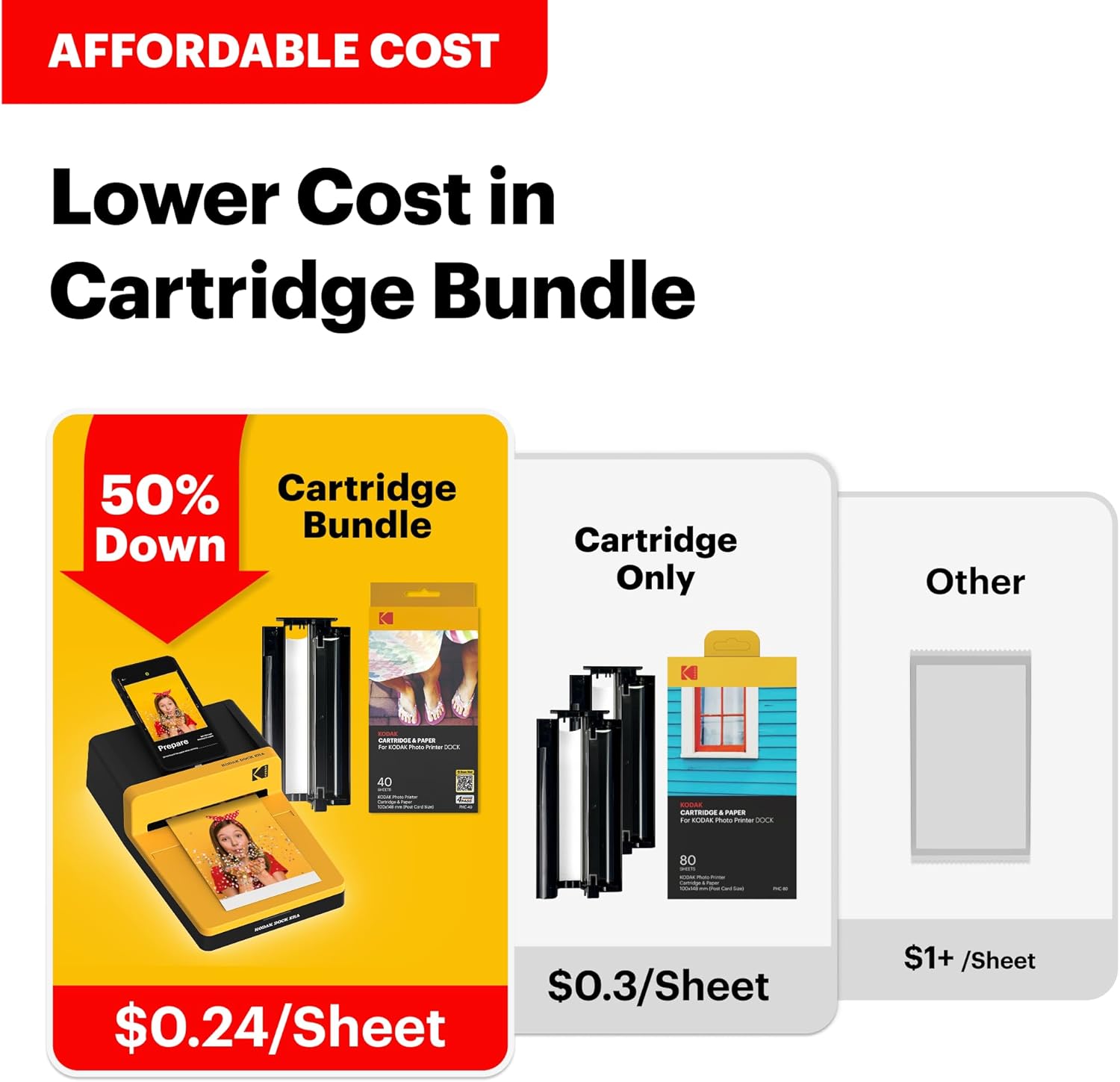
1 Best Price
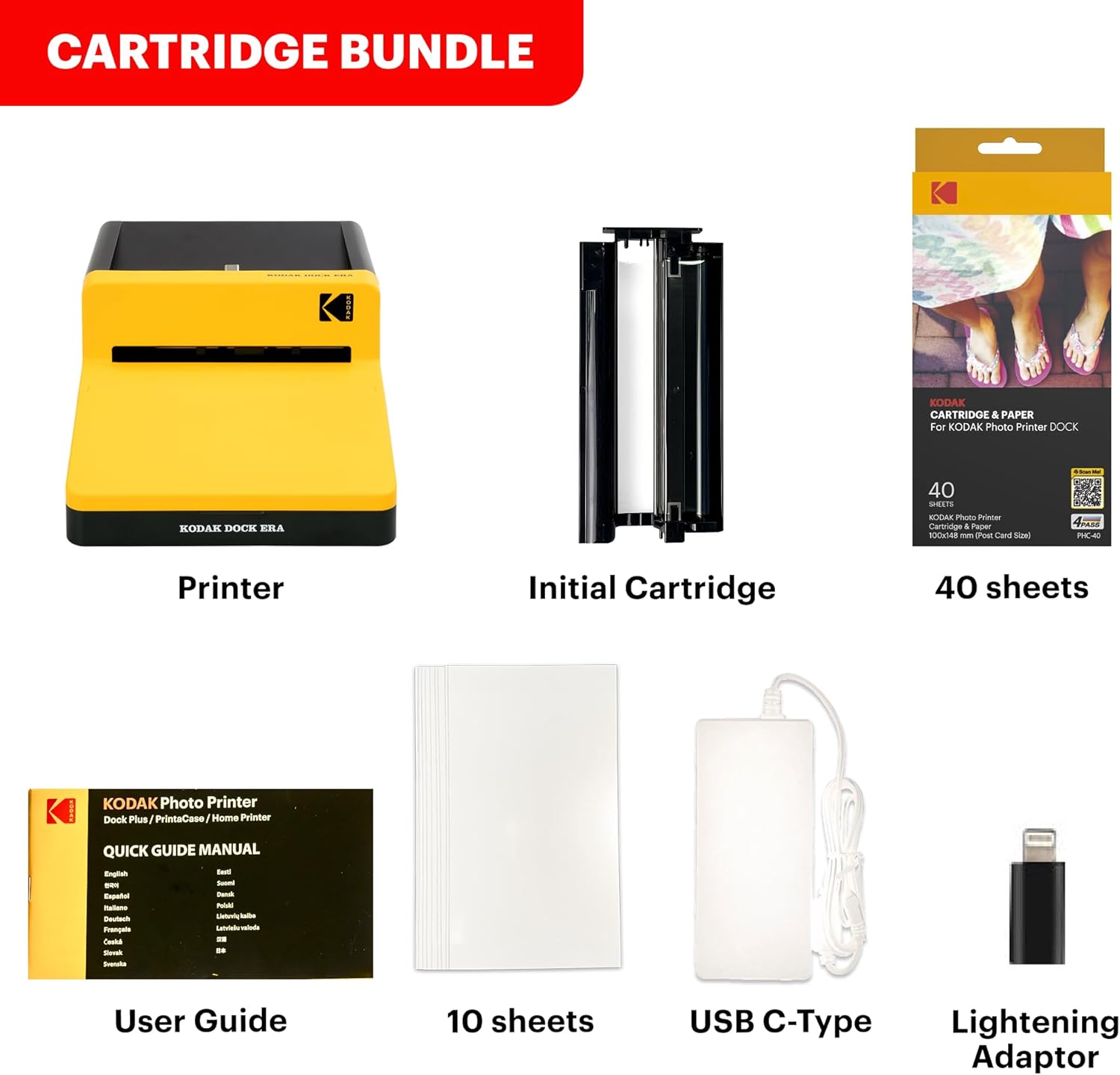
2 What’s in the box


1 Dock & Wireless
2 Print Size


1 4PASS Technology
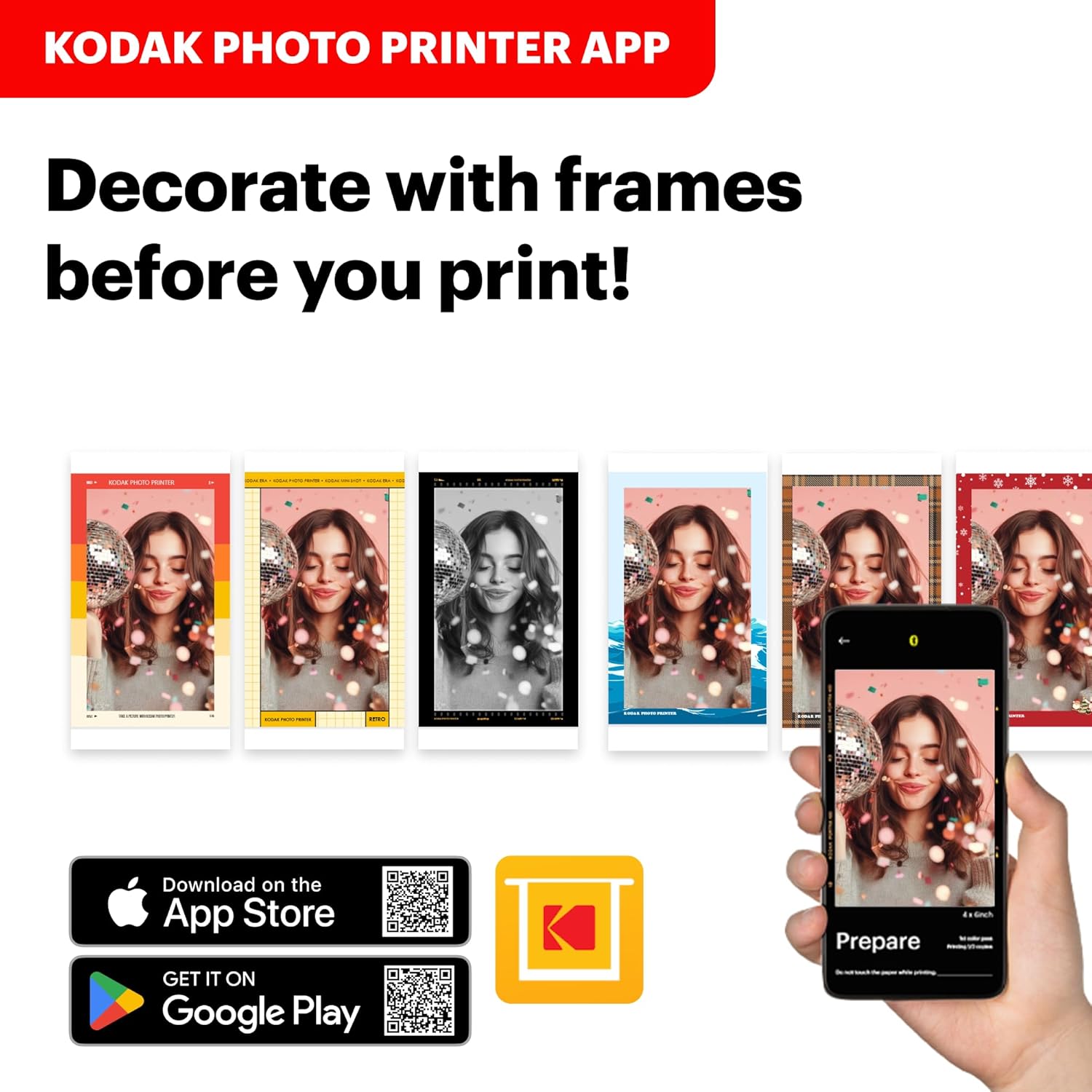
2 App

What photo paper and cartridge should be used for the Kodak Dock Era printer?
Official Kodak photo paper and cartridge (PHC-80) must be used for the Kodak Dock Era photo printer, which can be found on Amazon.
What’s included in the package?
– All products come with a photo printer with user manual, power adapter, iPhone Lightning adaptor, initial cartridge and 10 photo papers.
– All bundles come with additional 40 sheets of photo paper and cartridge.
What can you do with the Kodak Photo Printer App?
With the free Kodak Photo Printer App, you can create frames and make many edits on your photos.
How can I download Kodak Photo Printer app?
Search and download ‘Kodak Photo Printer’ App on Google Play or App Store.
What should I do if there is an issue with the product?
Please do not hesitate to contact support regarding your product and we will do everything we can to help you solve the issue.
PRINT HAPPINESS with KODAK
Add to Cart
Add to Cart
Add to Cart
Add to Cart
Add to Cart
Add to Cart
Customer Reviews
4.0 out of 5 stars 1,944
4.3 out of 5 stars 6,530
4.3 out of 5 stars 554
3.5 out of 5 stars 18
4.2 out of 5 stars 12,634
4.2 out of 5 stars 19,734
Price
$119.99$119.99
$149.99$149.99
$69.99$69.99
$39.99$39.99
$99.99$99.99
$110.49$110.49
Bluetooth
✔
✔
✔
✔
✔
✔
Docking
✔
✔
✘
✘
✘
✔
Portable
✔
✔
✔
✔
✔
✔
Paper Size
4×6 Inches
—
2.7×1.8 Inches
0.5×1.2 Inches
2.1×3.4 Inches
4×6 Inches
Usage
Home Photo Printer
—
Label & Sticker Making
Label & Sticker Making
Portable Photo Printer
Home Photo Printer
Printing Technology
Dye-Sublimation
—
Thermal Technology
Thermal Technology
Dye-Sublimation
Dye-Sublimation
Simple to use; With the Kodak Dock ERA Plus photo printer, you can dock and charge your phone, print your favorite photos instantly, and enjoy the convenience of using it at home, school, or anywhere
Easy to connect; Our instant Photo Printer is compatible with Apple iPhone, iPad, and Android devices, supports wireless Bluetooth connection, and also offers convenient docking and charging
Print more, save more; With the Kodak Dock ERA Plus, you can enjoy the most affordable way to print your memories right at home, and the Value Pack offers great value when purchased in a printer bundle
Superior photo quality; Kodak 4PASS technology to print flawless photos in layers of color with a laminating process, making them fingerprint proof, water resistant, and lasting for generations
Two photo types; You can choose between border and borderless photos, where you can write down your memories in the border type to make them last forever, or print larger sized photos in the borderless type, available in 4×6 inches
Brand New Design; Inspired by the Kodak legacy, the sleek design draws from the timeless aesthetic of classic film, blending nostalgia with modern functionality
13 reviews for KODAK Dock ERA Plus 4PASS Instant Photo Printer, 4×6 inches, 50 Sheets Bundle
Add a review
Related Products


Original price was: $149.99.$119.99Current price is: $119.99.
Sandra L –
Great quality, excellent price. Super convenient.
It was a gift, but thankfully the recipient was very excited about the gift that I was quickly informed of how much he enjoys the product. The pictures come out as though they were printed professionally. The colors were vibrant and clear. This is a must have, if you enjoy taking pictures to print.
Ja Cha –
Easy setup and great photos
Kodak is a reputable brand and company that’s been around for a very long time. It works very well; easy setup and prints beautiful pictures. I had trouble with the mobile app but customer service helped me. I had to reinstall the app and allow access to Bluetooth. I would recommend this device to anyone looking to print photos off your smartphone.
Z.C –
It may have much lower printing quality than what you are expecting.
Update: Returned it and got the Liene M100 instead. That works much better and actually prints out sharp image like what you see on the screen.The product page advertise the printer to have 600 DPI for color, 300 for DPR for B&W. I printed a couple photos with all of them turn out to have very soft edge and bad color grading. Changed the cartridge and paper, no luck.So I decide to print a couple 4×6 test card. The result is extremely bad, monochrome resolution is 100PPI at best, with color resolution 120 at best. Anything beyond was just blurry and everything was just screwed. Exporting the photos with the exact resolution (4×6@600PPI) from Lightroom won’t help. I can only print through the app so I don’t know if they did any additional compression from the app to the printer. Or the printer can just be designed to have a bad resolution.Color wise, the highlight details were all gone in the photo although the app does show them. It is very inconsistent even when using Kodak’s own app.Wouldn’t recommend the product if you care about the quality or you take photo with anything other than cell phone. I may decide to return it and try other brands.
BerkeleyDude –
Great Convenience and Quality: The Kodak Dock ERA Plus Printer
The Kodak Dock ERA Plus 4PASS Instant Photo Printer (4×6) stands as an easy to use piece of technology, earning a solid 5 out of 5 for its impeccable performance and ease of use.Key Takeaway: This printer is ideal for those seeking high-quality photo prints with the convenience of instant printing. Its dye-sublimation technology ensures vibrant, detailed images while the docking system simplifies connectivity and usage, making it a leader in portable printing solutions. Although I would have preferred more portability the overall function meets my needs.Who Should Buy This: Photography enthusiasts, scrapbookers, or anyone who values tangible memories in physical format will find this product indispensable. Its seamless integration with both Android and iOS devices via Bluetooth makes it particularly appealing to users who desire hassle-free printing directly from their smartphones.Who Should Skip This: Users looking for multifunction printers that also offer scanning and copying might not find this single-function device suitable for their needs. Additionally, those requiring larger print formats should explore other options beyond the standard 4×6 output size this model provides.Design and Build Quality: The Kodak Dock ERA Plus boasts a sleek and compact design, which is perfect for any modern home or office setting. Its robust construction promises durability while maintaining an aesthetic appeal that complements any environment.Value for Money: Considering the package includes an initial set of 10 sheets plus an additional pack of 80 sheets, along with its efficient functionality and superior print quality, the printer offers exceptional value for money. It brings professional-grade printing capabilities within reach at a fraction of traditional costs associated with lab-developed photos.Overall, the Kodak Dock ERA Plus Instant Photo Printer is perfect for anyone looking to capture life’s moments effortlessly without compromising on quality or detail.
Kathy –
Placement of paper. Be sure you use the app that you download and install from play store or Google.
The set up was a little more complicated than the small paper instructions and the YouTube video I watched. My daughter finally figured it out. It took awhile. Once I got it working the photo came out nice. Haven’t used it again yet. Print speed is fine, unknown battery life as I plug it in. Money spent was good. Size of photo is fine. The paper instruction as to how it is to be placed in the printer was contradictory. One said the paper logo up and the other said down. Make sure the Logo on the paper is down (in other words you won’t see the logo when ready to print).
ElizAM –
Color quality.
Excellent quality! Images print clear, bright colors. Took me a while to get it to work, though not difficult. Neat to see color developing with each pass thru cartridge. (Each cartridge prints just 40 pics; bundle I purchased has 2)
Tori –
Good for personal use
Okay so the photo quality is great, I print tons of colored photos. I haven’t had to replace the ink yet so that’s a plus. It’s a little bit larger than I would’ve hoped but still a decent size. I would recommend for personal use and crafts. But the photos do take a little while to print as it goes back and forth printing the colors. If you are looking for something to print multiple (bulk) photos quickly, this is not the one for you. But if you are patient and want something to print your personal photos at home this is a great purchase!
Josh Caplan –
Doesn’t fully work as described. Still pretty cool though.
Got this for my daughter from Santa. The direct docking never worked. Tried to get help from Kodak directly. The tech support person was useless. Told me to hit a non existent reset button. I had to tell my kid that the elf in charge was off drinking maple syrup with Buddy. Anyhow, they asked me questions about my address for a replacement. Then after 10 days I heard nothing so I did an Amazon replacement. That came today. Same issue with multiple devices using lighting adapter or usb c. It will charge the device and it performed a firmware update on both printers so I know there is a connection. Just wouldn’t ever allow a print without Bluetooth which tends to take a long time to connect. She still likes it with the phone we have her to take pictures but plugging in our other phones was supposed to be simple.
Hendi Hamed –
Easy to use and light weight to carry. Pictures are clear and bright colors
Andrii Hrytsenko –
Easy to set up and use, print quality is good, takes some time to play with color setting but after figuring out takes only few clicks
Michael Cnop –
Bonne imprimante, petit soucis l’or de la première livraison, je n’avais pas eu les accessoires, j’ai contacté le revendeur, très agréable, ils mon renvoyer le bon article, merci a eux
GUIBERT Bruno –
Produit simple et efficace : Trop facile d’utilisation en BT depuis Android ou IOS.
Luís Paulo Assumpção –
fácil de usar