

NEBULA Cosmos Laser 4K Projector, 2200 ANSI Lumens, Android TV with Dongle, Autofocus, Auto Keystone Correction, Screen Fit, Home Theater Projector with Wi-Fi & Bluetooth, for Office and Business Use
Original price was: $1,099.99.$1,044.99Current price is: $1,044.99.


Price: $1,099.99 - $1,044.99
(as of Nov 10, 2025 13:56:27 UTC – Details)
From the brand
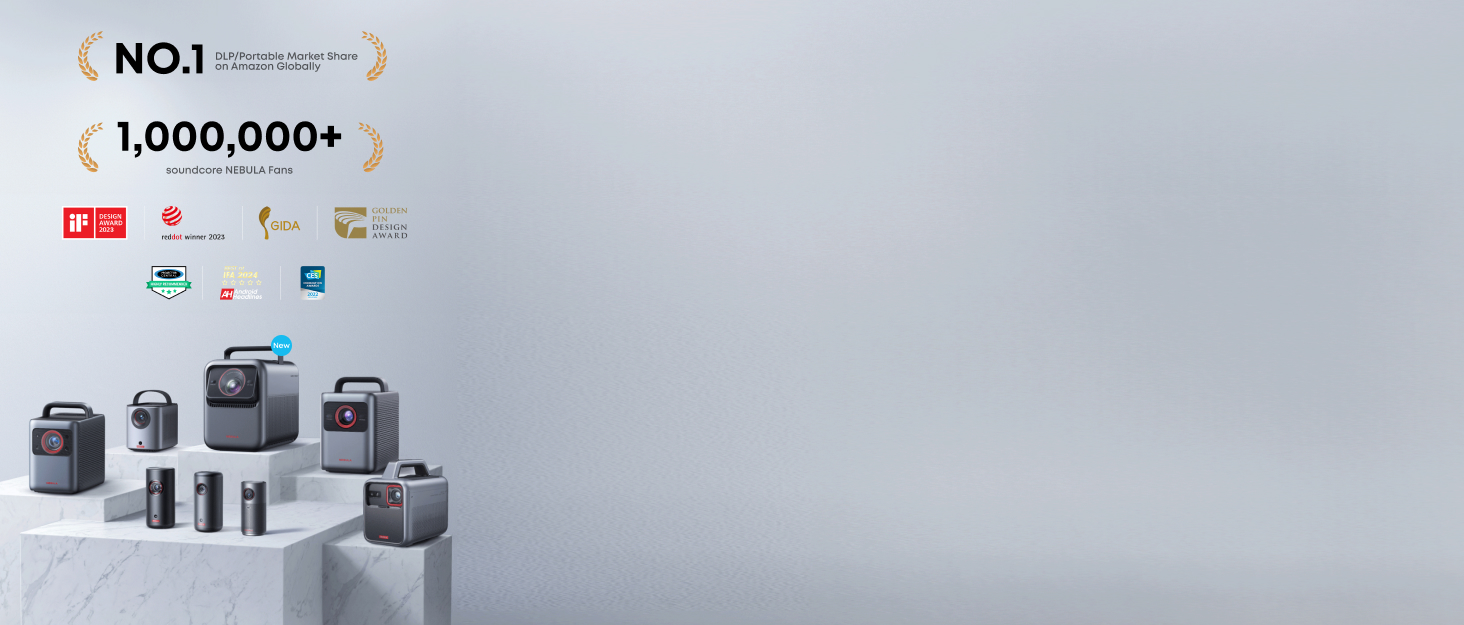

Buy One Get One
Best Home Entertainment
Go Anywhere Series
Accessories
Renewed Products


Laser-Powered Detail: Make your movies shine with the intensity, which is so bright you can even watch with the lights on, then watch every pixel pop in 4K UHD quality—perfect for home entertainment and office or business use.
Setup is a Snap: Start the movie in seconds with Intelligent Environment Adaptation (IEA) Technology. Analyze your room to avoid furniture or decorations, then watch your screen automatically fit to your space without any disruptions to the action on screen.
Carry Around the Home: The ergonomically designed handle allows you to conveniently move Cosmos Laser 4K to the bedroom or the backyard, wherever you want to watch movies.
Sound You Feel: Enrich your ears with the sweet, rich sound of movie soundtracks from the dual 5W tweeters and notice the heightened intensity from the dual 10W speakers immersing you in the action.
Abundant Streaming Choices: Android TV 10.0 allows you to see 400,000+ movies and episodes on 7,000+ apps, so you’ll never run out of content. Note: Keep Cosmos Laser 4K’s firmware updated for optimal performance.
Customers say
Customers praise the projector’s picture quality for its crisp, bright 4K display, and appreciate its high build quality, with one customer noting it’s better than their TV. The sound quality receives positive feedback for its powerful built-in speakers and low noise level, while setup is easy and portability is convenient with its handle. The brightness and functionality receive mixed reviews – while some find the brightness great, others note the lights are almost blinding, and while some say it works great, others report it doesn’t function properly. Customers consider it good value for money.
7 reviews for NEBULA Cosmos Laser 4K Projector, 2200 ANSI Lumens, Android TV with Dongle, Autofocus, Auto Keystone Correction, Screen Fit, Home Theater Projector with Wi-Fi & Bluetooth, for Office and Business Use
Add a review
Related Products


Original price was: $1,099.99.$1,044.99Current price is: $1,044.99.
AGSwings –
Don’t sleep on this one
This projector is actually very good. If your someone who wants to watch 4k content with amazing colors, great sound, and google tv when on sale it’s definitely something to not sleep on. Watching content on here with light on and during the day is definitely possible even at 200 inch it was still visible but of course it always better in complete darkness. But it not always possible especially at my house unfortunately. Old projector I had was only 500 anis lumens and it was not able to keep up during the day unless I had it a meter and an half away from the screen which was challenging. I’ll say this I can easily get a big image with the projector not having to be far away. Speakers are nice and can fill a large room but I do sometimes use my boom box speakers for that extra bass. Playing the PlayStation was wonderful at 4k 60fps. The nebulamaster setting is very nice and having Dolby vision make things amazing also color correction for wall is also works great too. This also works as a speaker as well which is also nice as it can get loud for a small to medium party. The handle is nice in the hand and the projector is simple to operate which takes about 10 minutes to setup. You can download your apps on the projector itself and if you want to watch something it can give suggestions where to watch on different platforms. Some apps don’t work flawlessly but that something to do with google tv which is shocking to me. The remote dose have back lit buttons it just some buttons don’t have back lit which is interesting. Now the things that I will say that are not so great. This projector is amazing but not perfect first thing is that the ui interface is a laggy I’m I believe this has to do with the limited ram and storage which I can understand as nebula is a company that tries to innovate and tries to make products that are not ridiculously expensive. The auto keystone correction is a bit wonky but not terrible it tries it best but not completely perfect at an angle it can definitely work heads on but generally to adjust for a perfect fit is are small. The halo effect can be a bit distracting at times but not a huge deal breaker. It’s smart feature can be helpful and sometimes make things worse. If you have holes in the wall the the SE is definitely avoid them but it can be turned off. Contrast is something to watch out for as it is not the highest even though nebulamaster can boost it I recommend watching any dark scene movies tv shows when it really dark.So over all this is really a amazing projector if you can get on sale it’s portable with amazing image and color most problems with projector can be fixed with some tweaking which is why I give it 5 stars if I had got this on retail price would be giving this 4 starts but since I can get a great image and sound overall that’s what really matters today me.
Arturo P. –
I went through 4 different Nebula projectors before settling for this one
Hi, if you want to read the short version, please skip to the Pros/Cons section.I was looking for a great projector on a budget but quickly realized that being picky and on a budget don’t mix at all.First I bought the cheaper Nebula Cosmos DLP 1080p ($600). It was ok until I noticed that the dark scenes were way too dark. For example, I saw a night scene while watching a TV show where I could barely see the body silhouettes of the characters. Turned on my old Sharp 50” LCD TV which is right next to the projector screen and played the same scene just to compare and the difference was brutal and disappointing. I know a projector must be very exceptional and expensive to be compared to even the cheapest TVs out there, but this was just too much. Also, I had to turn all the lights off and close all the windows and doors if I wanted to get a decent image.I bit the bullet and returned it in exchange of the step-up Cosmos DLP 4K ($1,000). That one was almost perfect. Image was phenomenal even with the lights turned on and audio from the embedded speakers was amazing BUT it started to overheat after a week. Even with the air conditioner blasting and me changing the projector’s location away from all walls. It kept randomly overheating sometimes just 2 minutes after turning it on, sometimes it would go a whole movie with no issues, but it became annoying for a $1000 device. So….I returned it.This time I got the Cosmos Laser 1080p ($1,200), Image was “ok” but still disappointing. RETURNED again.That’s when I jumped to the Nebula Cosmos Laser 4K ($1,800) and I literally saw the light. The image looks amazing even with all the lights turned on. Too pricey for what I initially wanted to spend but it is worth it, I have been using it heavily for 3 months and no overheat yet, knock on wood….Pros:Image is impressive.Audio is surprisingly good, loud, and clear. I have to admit that the Cosmos DLP 4K has slightly better audio, but with this one you don’t need to buy a home theater audio system unless you really want to spend that extra money.Android OS means you have a truckload of apps at your disposal, including the usual streaming apps like Netflix, YouTube, Prime, etc.Relatively compact size for such a self-contained marvel.Quiet enough to not be a distraction. I usually sit around 1 foot away from it and the fans’ noise is only noticeable on the longest quiet scenes, if any.Auto-sizing and Auto-Keystone make setting it up so much easier, in my case it not necessarily gets it 100% right but it gets it close enough for me to manually provide the final adjustments in a matter of a minute or two.Maximum screen size is advertised at 150”, unfortunately I don’t have such a big wall available to give it a try. I have been using an 80” screen and it looks phenomenal, I just received a 100” screen to replace the 80” one. Let’s see how it goes.Cons:Connecting my Bluetooth headphones sometimes is a pain, after having it paired and turning off the equipment it takes a long time and several tries to get it going.Bluetooth headphones/speakers get disconnected when I switch the input to a BluRay player connected to the HDMI port. Making it impossible to use any Bluetooth audio device. If there is a workaround to make both work at the same time, I haven’t found it.Only 1 HDMI port. It would be awesome to be able to connect a BluRay player and an audio system at the same time. The Cosmos DLP version has 2 HDMI ports, Why is this one so much more expensive and doesn’t have 2 HDMI?The version of the cellphone app for this Nebula model is kind of limited in comparison to the one I used for the previous models. For example, with the previous projectors I was able to type from my phone directly to the projector’s search box, now I can’t.Last but not least, the most annoying of all, for the image adjustments (picture mode changes, custom picture mode changes, gamma, etc), the menu takes around 30% of the screen’s right side and the content being played in the background gets dimmed to a point that you don’t really notice the changes you are doing, so you have to exit the menu all the way back to see the results and repeat all over if you don’t like what you see. Nebula team: please minimize the menu to a little corner or to the bottom of the screen while we try to adjust the image and do not dim the content so we can see the changes as they are without so much back and forth.Thankfully, most of the Cons mentioned above can be easily fixed by a software update and I really love this projector despite them.If you are not too picky and really want to save some serious dough, get the Nebula Cosmos DLP 1080p. The 4K version was great and I would have kept it if it didn’t become an overheating annoyance. But if image quality is non-negotiable even under some ambient light, the Nebula Laser 4K is your guy.
Steve B –
Got it on a good deal. This thing is bright. Great resolution and colours. I don’t have a lot of experience with projectors. My only problem is the throw distance can be slightly restrictive on which rooms you can get a good size projection on. The sound is very good for a self contained unit. It doesn’t get super low bass, but it rarely feels lacking. If I want the real deal, I’ll plug into my PA speakers. When you sit in front of or behind it, it does create a decent stereo field. Overall, very happy!
Atakan –
Uzun süredir 4K projeksiyonlara bakıyordum ama “biraz daha bekleyeyim” diye diye aylar geçti… Meğer beklemekle kaybetmişim! Anker Nebula Cosmos Laser 4K SE resmen evde sinema salonu açtı. Görüntü kalitesi keskin, renkler canlı ve lazer teknolojisi sayesinde ışık koşulları kötü olsa bile netlikten ödün vermiyor. Hoparlörleri şaşırtıcı derecede güçlü, ekstra bir ses sistemi aratmıyor. Kurulumu çocuk oyuncağı, taşınabilirliği de cabası.Film izlemek ve oyun oynamak hiç bu kadar keyifli olmamıştı. Şimdi tek sorunum, bu keyfi neden aylar önce kendime yaşatmadım diye hayıflanmak! Eğer tereddüt ediyorsanız, yapmayın: Bu cihaz beklediğinizden fazlasını veriyor.Dipnot: Oyun modunda tek ufak pürüz: Perde ayarını program üzerinden değil, elle yapmanız gerekiyor. Kimi için biraz uğraştırıcı olabilir ama performans ve görüntü kalitesi düşünülünce bu detay göz ardı edilebilir.
Sticky –
Amazing great quality well built really good picture
muhammed şahin –
Ses kalitesi kesinlikle ilavesiz yeterli. Tepki performansı ve ışıklı ortamda alınan görüntü fevkalade. 5 üzerinden 10
Amazon Customer –
The quality of the image is impressive.